Egress Allowlists
Write down the hosts an agent's tools may be dialled at, check a host against the list before saving, and attach the result to an agent or a policy
An egress allowlist is the set of hosts an agent's granted tools are allowed to reach. Settings → Egress Allowlists is where allowlists are written; attaching one to an agent or a policy is what puts it in force. Open it with the Settings control in the top navigation bar, then choose Egress Allowlists under Governance.
Egress Allowlists, Policies and Guardrails are one plane, reserved for Platform Admin. The same role is required to attach an allowlist, even though attaching happens on the Team pane.
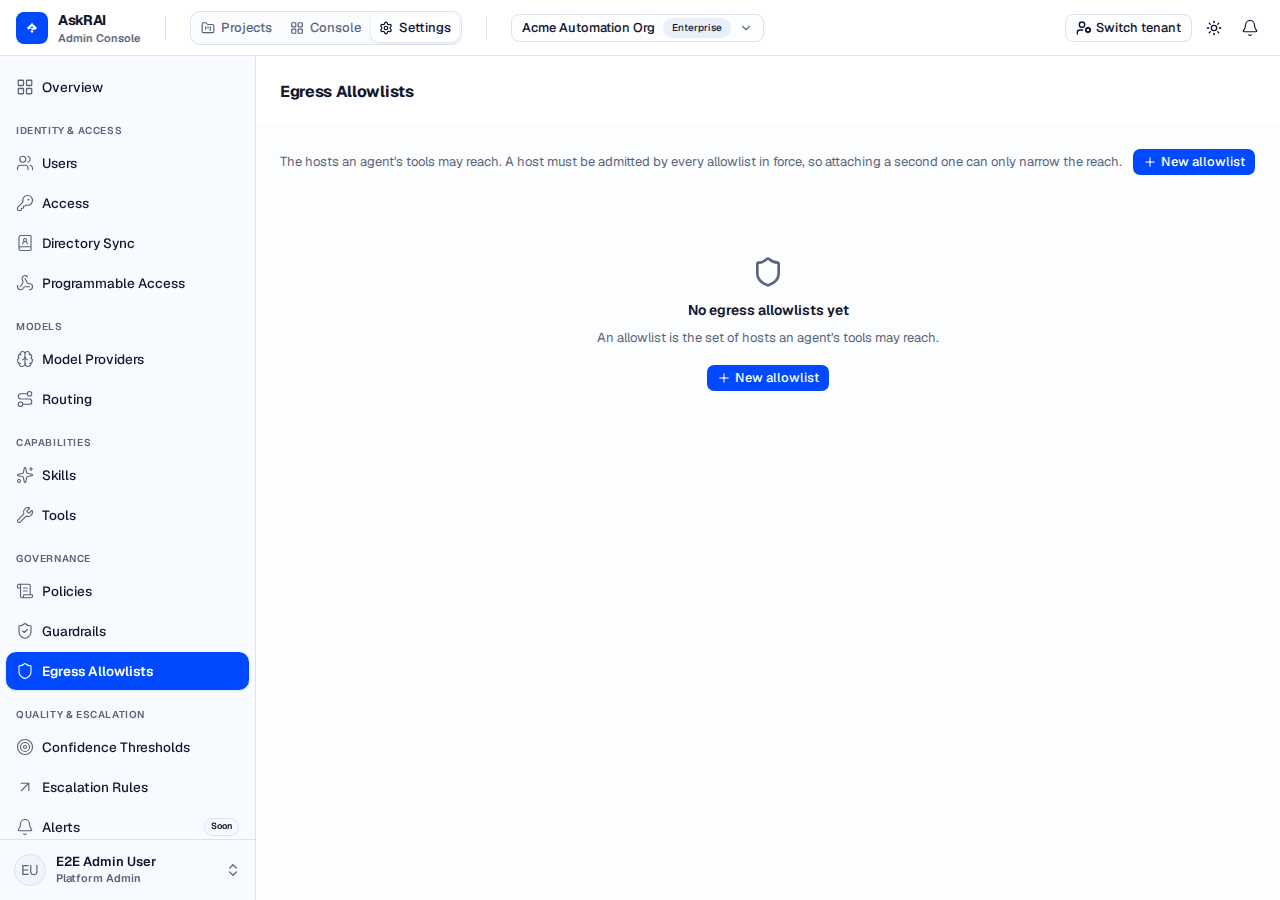
A new tenant has none. The platform ships no allowlist, so every list on this page is one somebody in your tenant wrote.
An allowlist only ever narrows
This is the property everything else follows from. An allowlist cannot grant an agent reach it would not otherwise have — every outbound request already passes AskRAI's own network protections, and the allowlist is applied after them. What an allowlist does is take the "any public host" those protections leave and cut it down to the hosts you wrote down.
Because of that, composing is a conjunction: a host must be admitted by every allowlist in force. Attaching a second one can only narrow the reach, never widen it — which is what makes it safe to give an agent a broad allowlist and a narrow one at the same time.
An agent with no allowlist in force is not blocked. It may reach any public host AskRAI's own network protections permit.
Write an allowlist
Choose New allowlist.
Give it a Name and, optionally, a Description.
Add Hosts one at a time. Each entry is an exact hostname, or a leading *. wildcard.
Use Check hosts against this list to test the hosts you expect agents to reach, before you save.
Set Status to Active when the list should be in force, then choose Create allowlist.
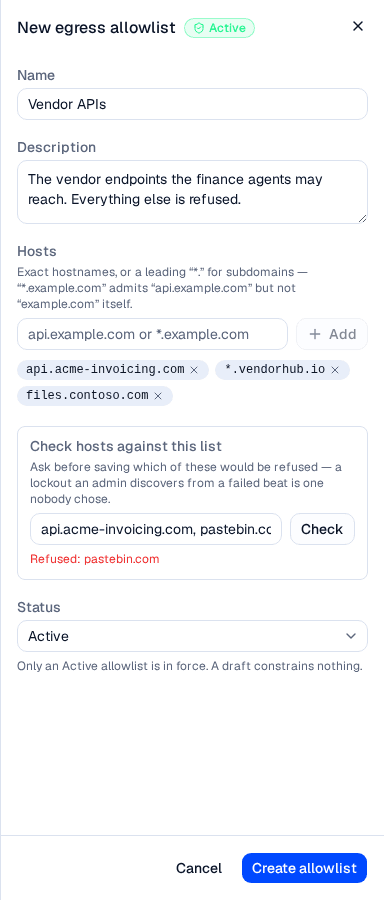
The check box asks the same question the runtime will — a lockout an admin discovers from a failed beat is one nobody chose.
What a host may look like
A host is a hostname and nothing else. The form refuses an entry the server would refuse, so what you can type is what will be stored:
| Entry | Accepted |
|---|---|
api.example.com | Yes — an exact host. |
*.example.com | Yes — admits api.example.com and files.example.com, but not example.com itself. |
https://api.example.com | No. Enter the host only — no scheme. |
api.example.com:8443 | No. A host carries no port. |
api.example.com/v1 | No. A host carries no path. |
* | No. A bare * admits everything, which is the absence of an allowlist. |
api.*.com | No. A wildcard is only allowed as a leading *.. |
A wildcard's dot is part of the suffix on purpose: *.acme.com matches api.acme.com and does not match evilacme.com, so a neighbouring registration cannot slip in. A list holds at most 100 hosts, and each is at most 253 characters.
Check a host before saving
The Check hosts against this list box takes one or more hosts, separated by spaces or commas, and asks the server which of them the current list would refuse. It reads the hosts as they are typed in the editor, so you can test a list you have not saved yet.
A clean answer reads "Every host you listed is admitted." Anything else is named: "Refused: pastebin.com".
Draft and Active
An allowlist is Draft or Active, and only an Active one is in force. A draft constrains nothing — the same position as an agent with no allowlist at all.
An Active allowlist must have at least one host. An empty one would admit nothing and refuse every outbound tool call, so the server refuses to store that combination and Create allowlist stays disabled until you add a host or move the list back to Draft.
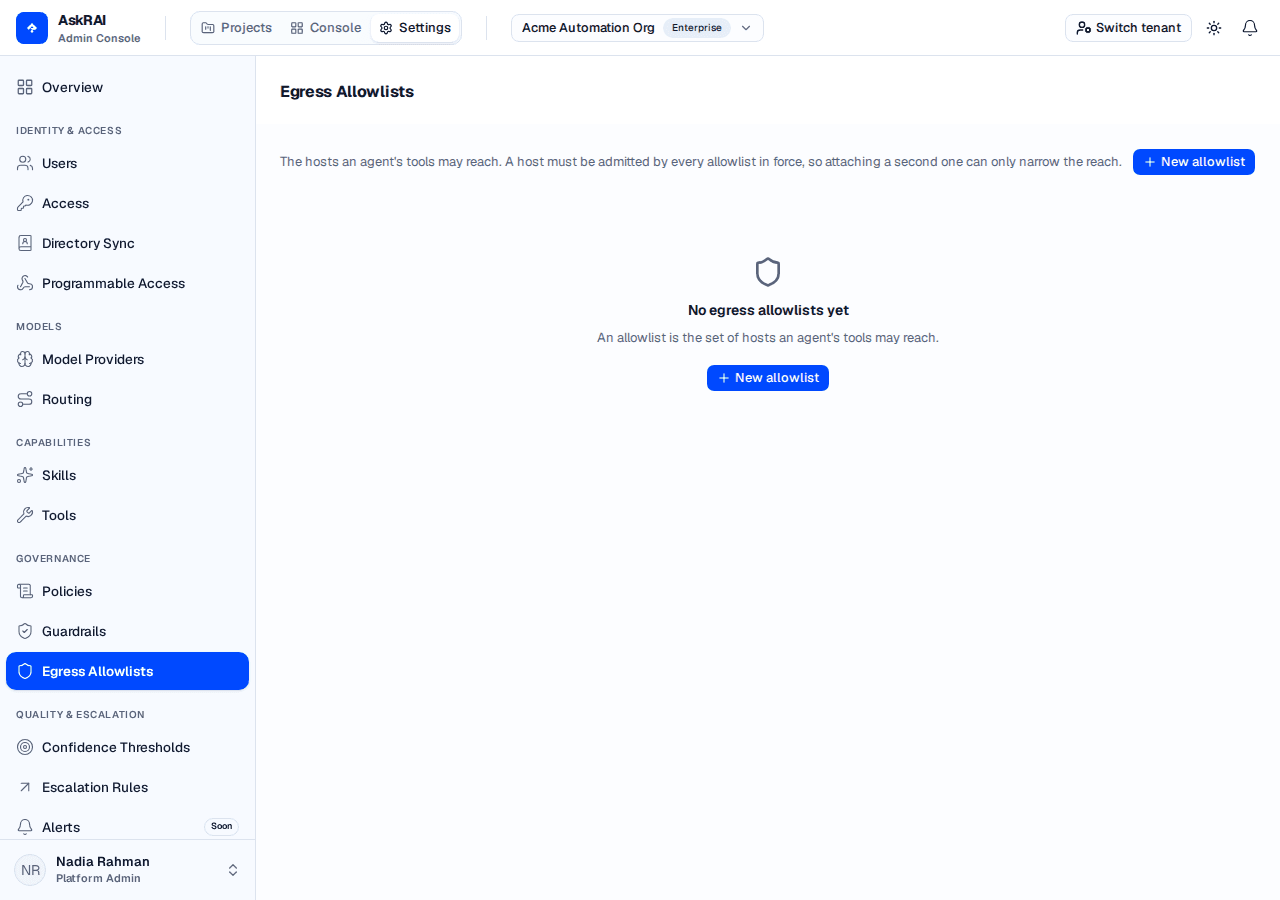
Each card shows up to six hosts inline; a longer list collapses the remainder into a +N.
Put an allowlist in force
An allowlist governs nothing until something attaches it. There are two ways, and they compose:
- An agent — open the agent on the project's Team pane and use its Guardrails tab. The Egress allowlist card holds one allowlist, or None.
- A policy — a policy carries at most one allowlist, and attaching that policy to an agent or a group brings the allowlist with it. This is the only way a group gets one: a group has no egress allowlist of its own.
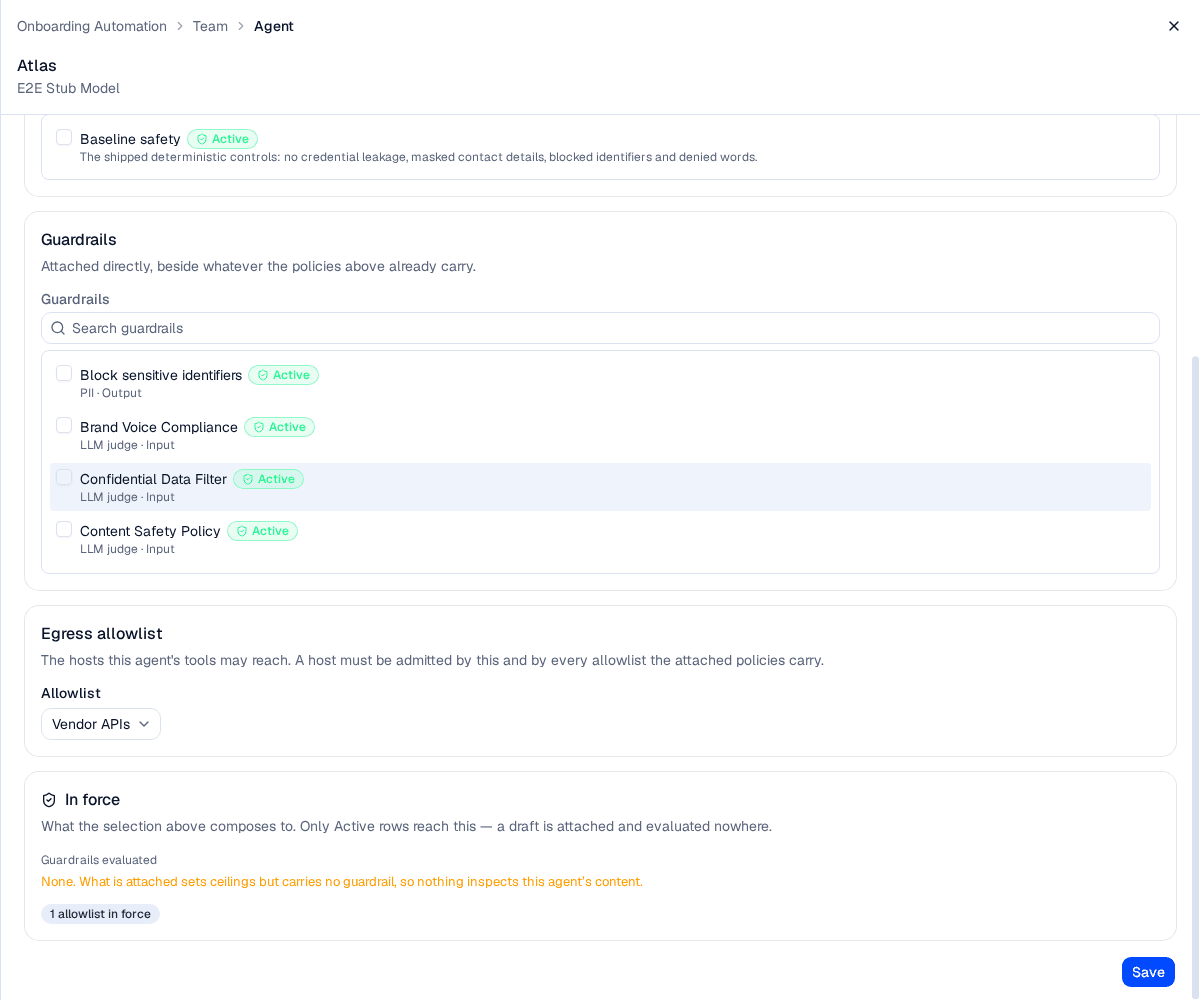
The In force panel asks the server what the current selection actually composes to, and re-asks on every change.
What happens when a host is refused
When an agent tries to call a granted tool on a server whose host no allowlist in force admits, the call is not made. The agent is told "The egress allowlist in force does not admit that server's host, so the call was not made. Do not retry it — say what you needed from it, or take a step that reaches somewhere you are allowed." The message names neither the host nor the URL, because the path of a tool call routinely carries arguments the model wrote. The refusal is recorded as an audit event, so a beat that lost a tool call this way is visible afterwards rather than only in the transcript.
The gate is asked before anything is spent: a refused call costs no action slot and no tool-call budget.
An allowlist constrains the tool server's own URL and nothing else on the outbound path. It does not reach the OAuth authorization or token endpoints a server hands back on a 401, whatever that server dials downstream of your call, or your model providers' endpoints — those are covered by AskRAI's own network protections alone.
Link domain guardrails depend on an allowlist
A Link domain guardrail carries no hosts of its own: it compares links in content against whatever allowlist is in force. With none, it cannot be evaluated, and it fails closed — stopping every turn under its own name.
Two guards cover the common ways in, but neither is complete — check the In force panel after any change:
- An Active policy that carries a Link domain guardrail and names no allowlist is refused when you save it. A policy naming an allowlist that is a draft, or that has no hosts, is not refused, and neither is in force at runtime.
- Deleting an allowlist, moving it to Draft, or emptying its hosts is refused when doing so would leave an agent or a group holding a Link domain guardrail directly with nothing to compare against. The message names those subjects rather than counting them.
That second guard does not look through policies. It reads only the guardrails attached directly to an agent or group, so an allowlist reachable only through a policy's Link domain guardrail can be deleted without warning — and every turn that guardrail governs then stops, because a Link domain check with no allowlist cannot be evaluated and fails closed. Groups are the exposed case: a group can only receive an allowlist through a policy. Before deleting an allowlist, check which policies name it.
Edit and delete
Open an allowlist by clicking its card. Editing hosts on a list already in force takes effect on the next beat — there is nothing to redeploy, and the change is in force within five minutes at the outside.
Delete is on the left of the sheet footer. Before you can confirm, the dialog reads how many agents and policies name the allowlist and states the count; if that lookup fails it says so rather than showing a reassuring zero. Deleting detaches the allowlist from every policy and agent naming it, which widens what those agents can reach, and cannot be undone.
Deleting an allowlist is a widening, so it is not refused merely for being in use — otherwise you could not remove a list you no longer trust without hunting down every reference first. The one case it is refused is the Link domain dependency above, where removing it would stop an agent entirely.
An allowlist the platform ships would be read-only — the sheet says so and offers no Save. No platform allowlist ships today, so every row on this page is one your tenant can edit.
Field reference
| Field | Notes |
|---|---|
| Name | Required. At most 120 characters. |
| Description | Optional. At most 500 characters. |
| Hosts | Exact hostnames or leading *. wildcards. At most 100, each at most 253 characters. Required when the status is Active. |
| Status | Draft or Active. Only Active is in force. |
Troubleshooting
| Symptom | Cause |
|---|---|
| Create allowlist is disabled | The name is empty, nothing has changed yet, or the status is Active with no hosts. |
| A tool call is refused and the host looks right | *.example.com does not admit example.com itself. Add the bare host as a second entry. |
| A tool call is refused and no allowlist names that host | A host must be admitted by every allowlist in force — the agent's own and every one its policies carry. Read the In force panel on the agent's Guardrails tab. |
| Deleting or deactivating an allowlist is refused | An agent or group would be left holding a Link domain guardrail directly with no allowlist. The message names them; detach that guardrail or give them another active allowlist first. |
| Every turn suddenly stops on a Link domain guardrail | An allowlist that guardrail reached through a policy was deleted or drafted — the refusal above does not see policies. Re-point the policy at an active allowlist with hosts. |
| An agent still reaches a host after you removed it | Only Active allowlists are in force. Check that the list you edited is not a draft, and that no second allowlist is attached higher up. |
Saving a policy is refused, mentioning url_domain | The policy is Active and carries a Link domain guardrail with no allowlist named. Add one to the policy. |